

Paid plans
Picture to embroidery
Picture to embroidery turns a simple PNG or SVG picture into a stitch file your embroidery machine reads: PNG to PES, SVG to DST and more. It's a premium tool in CraftKeep, included with every paid plan.
Included with every paid plan. Every new account starts with a free 14-day Maker trial that includes it.
Already use CraftKeep? Open Picture to embroidery


How to convert an image to an embroidery file
Three steps, all in one window. Each wait shows how long is left, with Cancel.
1. Choose a picture
Choose a PNG or SVG picture, or drag it onto the page. Tick I have the right to use this picture. and choose Continue.
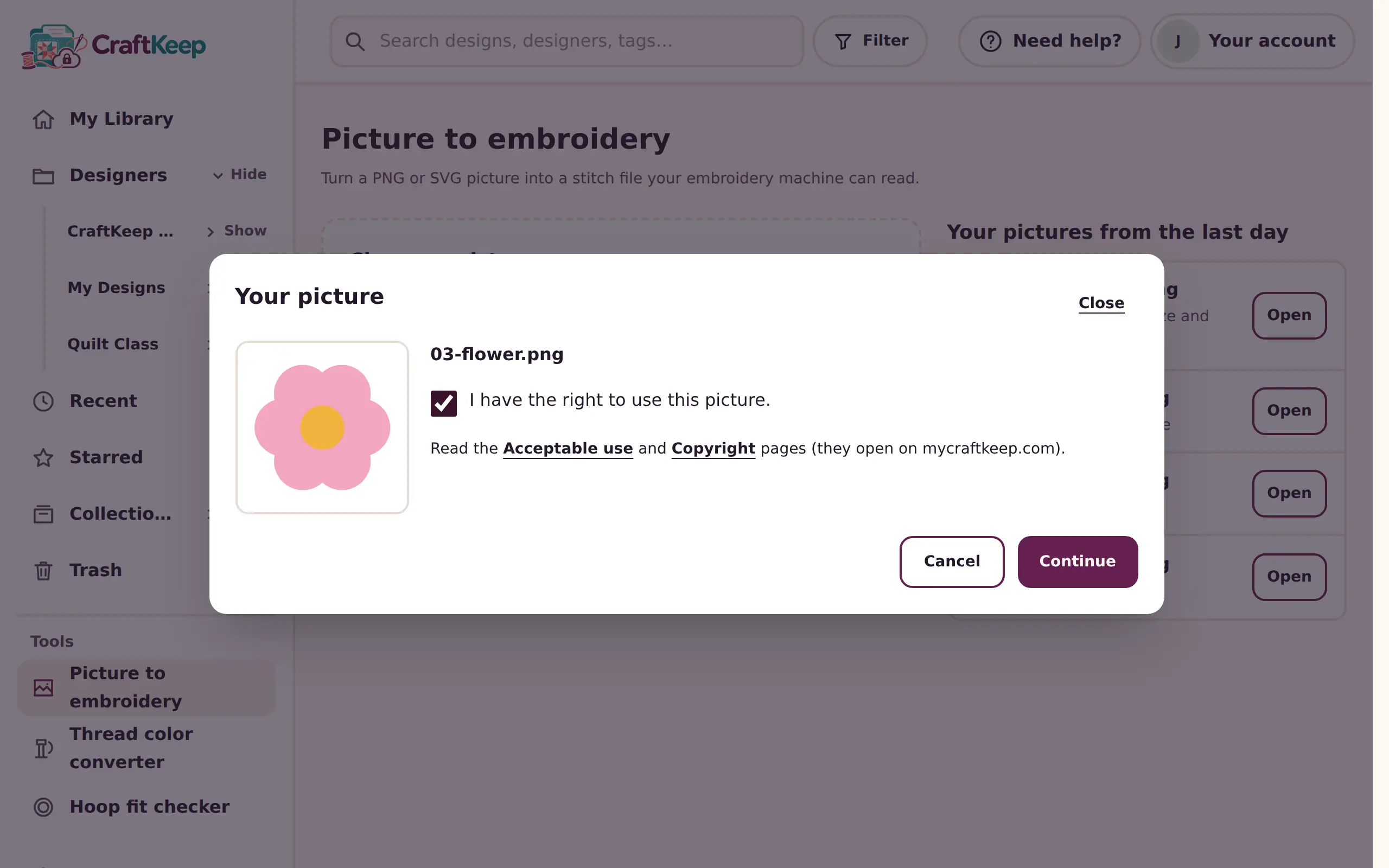
2. Pick the size and style
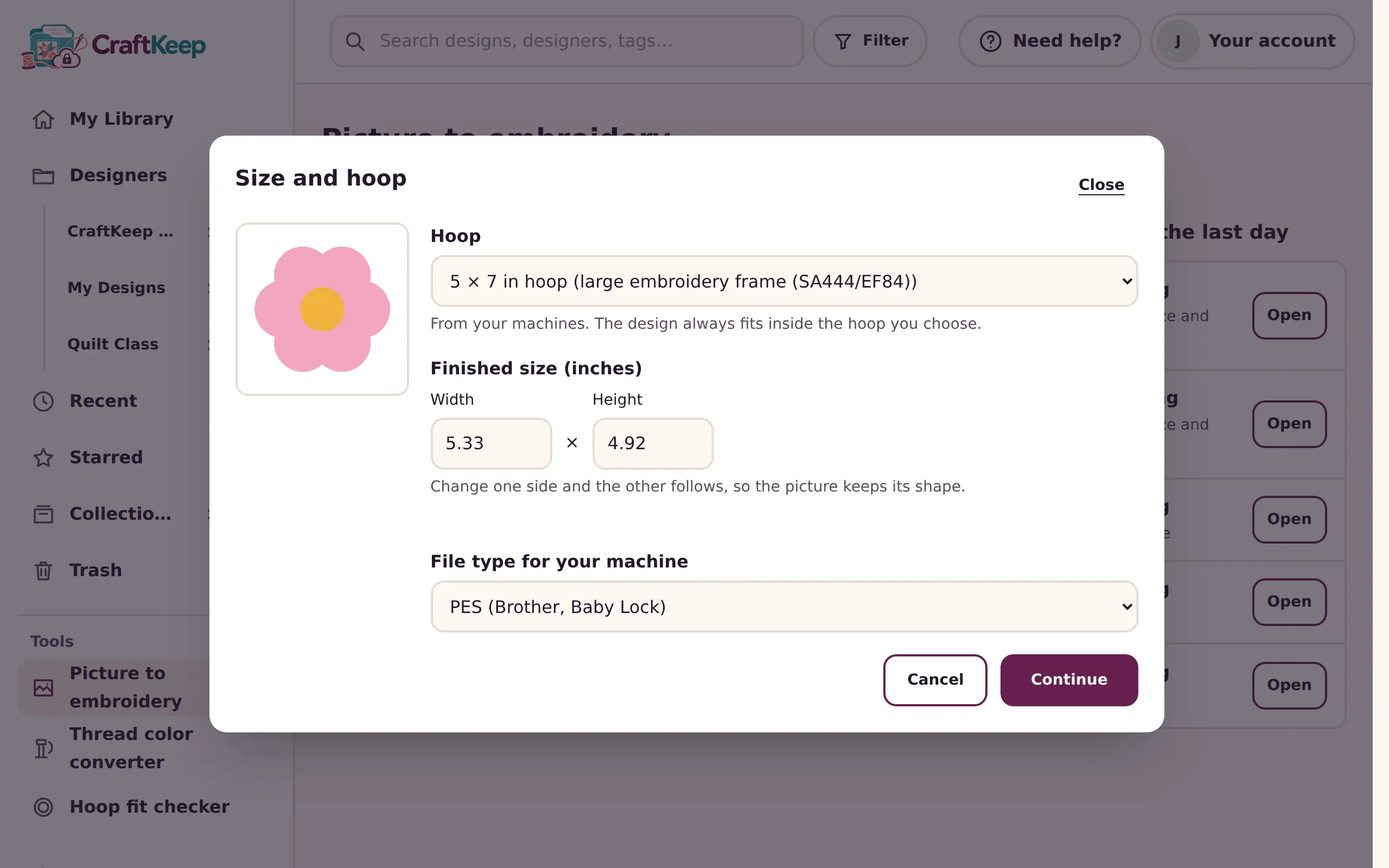
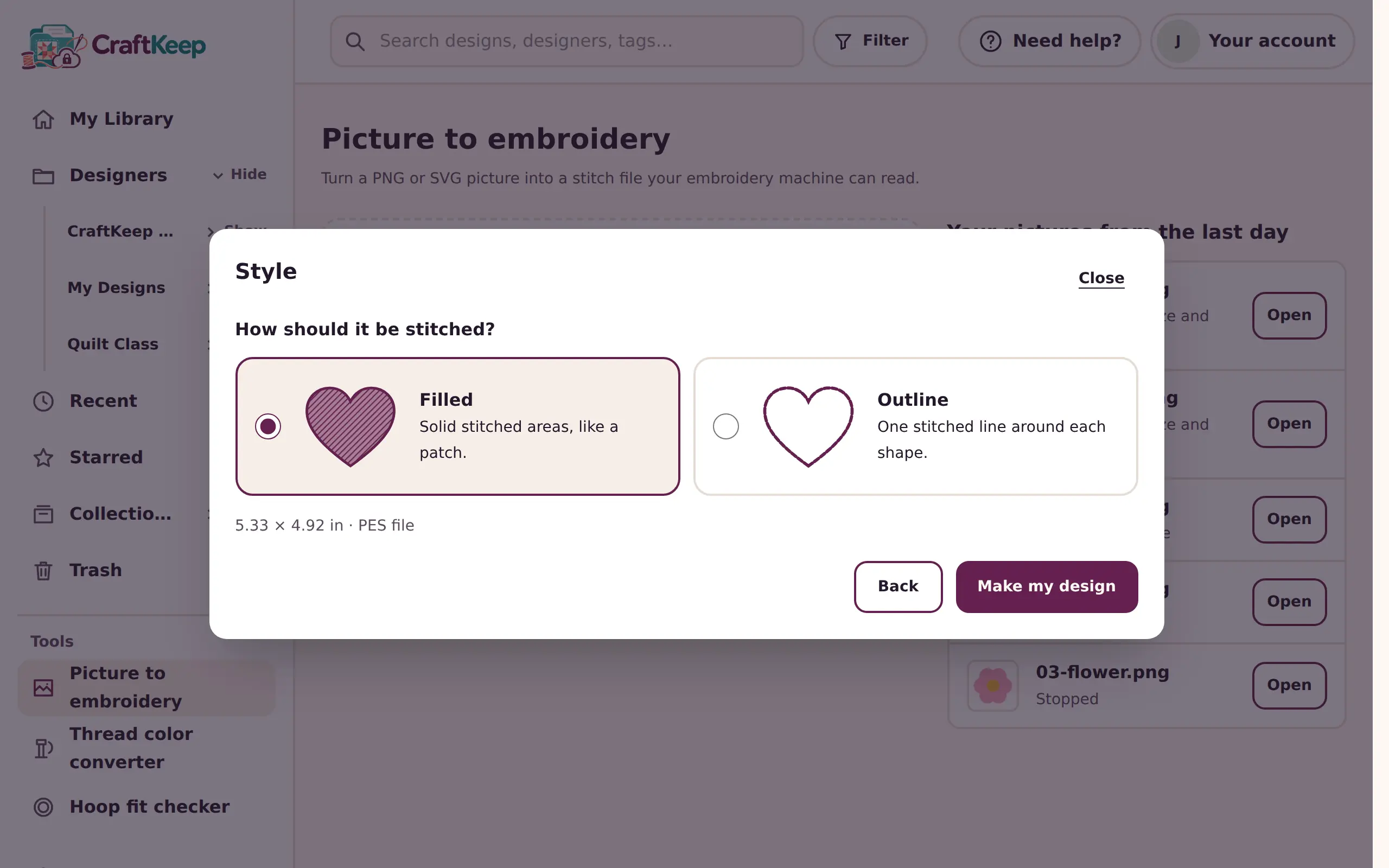
Your hoop and file type come from your machine, and the design always fits inside the hoop. Then choose Filled for solid stitched areas, like a patch, or Outline for one stitched line around each shape, and choose Make my design.
3. Save or download
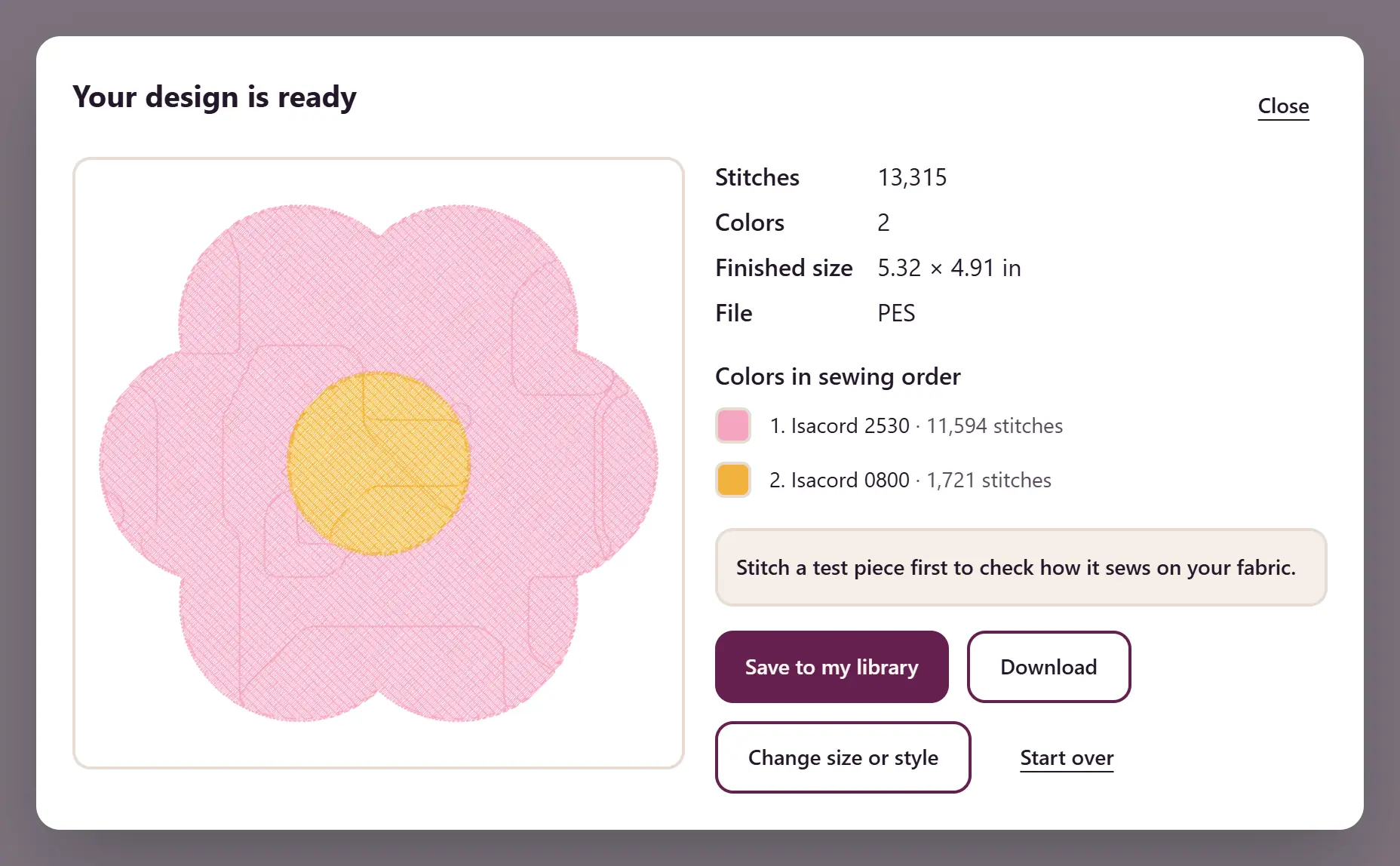
See the stitched design with its stitch count, size and colors in sewing order, each named from the thread you own when you have set up My thread. Choose Save to my library or Download, then stitch a test piece first to check how it sews on your fabric.


Every step, with pictures: Turn a picture into embroidery.
Where to find it in CraftKeep
In CraftKeep, choose Picture to embroidery under Tools in the menu on the left (on a phone, tap Menu first). The CraftKeep app for Windows and Mac has it in the same place.

Which pictures work best
- Clip art, simple drawings, logos you own and shapes with a few solid colors.
- Clear edges and shapes big enough to see at the size you want to stitch.
- PNG pictures up to 10 MB, made into at most 6 thread colors. A plain background is left out for you.
- SVG pictures up to 2 MB, with up to 10 colors.
Photographs are not what this tool is for: their soft shading and thousands of shades are made for prints, while embroidery shines with flat colors. If a picture has very thin lines or tiny details, CraftKeep tells you before it starts, so you can choose another picture or carry on. More on which pictures work best.
Pictures each month on every paid plan
Picture to embroidery comes with Hobbyist, Maker, Pro and Studio, along with everything else in your plan. Compare every plan.
| Plan | Price a month | Pictures a month |
|---|---|---|
| Hobbyist | $5.99 | 5 |
| Maker | $11.99 | 10 |
| Pro | $24.99 | 15 |
| Studio | $49.99 | 20 |
Need more in a month? Buy 5 more pictures for $5.99, one time, on any paid plan. Pictures you buy never expire, and they are used after your plan's pictures for the month.
Your plan's pictures start again on the 1st of each month. A picture that can't be made, or that you stop, doesn't count. The Free plan doesn't include Picture to embroidery.
Pro and Studio: 12-month minimum term, billed monthly. This is a commitment to 12 monthly payments, not an annual prepayment.
PNG to PES, SVG to DST: formats and machines
CraftKeep picks the format your machine reads, from your machine under Your machines. You can choose any of these:
- PES: Baby Lock, Bernette, Bernina, Brother, Husqvarna Viking, Pfaff, Ricoma.
- DST: Baby Lock, Barudan, Bernette, Bernina, Brother, Elna, Husqvarna Viking, Janome, Juki, Melco, Pfaff, PooLin, Ricoma, Singer, Tajima, ZSK.
- JEF: Bernette, Bernina, Elna, Husqvarna Viking, Janome, Pfaff.
- EXP: Bernette, Bernina, Husqvarna Viking, Melco, Pfaff, ZSK.
- VP3: Bernette, Husqvarna Viking, Pfaff, Ricoma, Singer.
Already have an embroidery design in the wrong format? The free embroidery file converter changes it, and the free embroidery file preview shows any design's stitches. Check a size with the hoop fit checker, and match colors with the thread color converter.
Picture to embroidery questions
Which CraftKeep plans include Picture to embroidery?
Every paid plan. Hobbyist gives you 5 pictures a month, Maker 10, Pro 15 and Studio 20. Your plan's pictures start again on the 1st of each month. The Free plan doesn't include it, and every new account starts with a free 14-day Maker trial that does.
What if I need more pictures in a month?
Buy 5 more pictures for $5.99, one time, on any paid plan. Pictures you buy never expire, and they are used after your plan's pictures for the month. A picture that can't be made, or that you stop, doesn't count.
Which pictures turn into embroidery best?
Simple pictures: clip art, logos you own, lettering you drew, and shapes with a few solid colors and clear edges. A PNG can be up to 10 MB and becomes at most 6 thread colors; an SVG can be up to 2 MB with up to 10 colors.
Can I turn a photograph into embroidery?
Picture to embroidery is made for drawings and clip art, not photographs. A photo has thousands of shades, and the best stitched results come from flat colors. For a favorite photo, start from a simple drawing of it with a few colors, and that drawing makes a lovely design.
Which embroidery files does it make?
PES, DST, JEF, EXP and VP3. CraftKeep picks the format your machine reads from your machine under Your machines, and you can choose another.
Is it the same as the free embroidery file converter?
No. The free embroidery file converter changes an embroidery design you already have into another format, such as DST to PES. Picture to embroidery makes a brand-new embroidery design from a picture.
What happens to my picture?
Your stitch file is kept only when you choose Save to my library, with the picture beside it. A picture and design you don't save are removed after a day. Before you start, you confirm you have the right to use the picture.
Does it work in the CraftKeep app for Windows and Mac?
Yes. Picture to embroidery is in the same place there: under Tools in the menu on the left.
Turn your first picture into embroidery
Choose a plan, choose a picture, and get a stitch file for your machine.
Included with every paid plan. Every new account starts with a free 14-day Maker trial that includes it.
Picture to embroidery is built with open-source software. See the open-source software credits.
Keep your designs where you can find them.
Every design shown as a picture, with its size, and its colors where the file stores them.
No credit card needed