

How to convert embroidery thread colors between brands
A design calls for one thread brand and your box holds another. Here is how to find the matching numbers, one spool or a whole design at a time.
By CraftKeep Team · · 6 min read
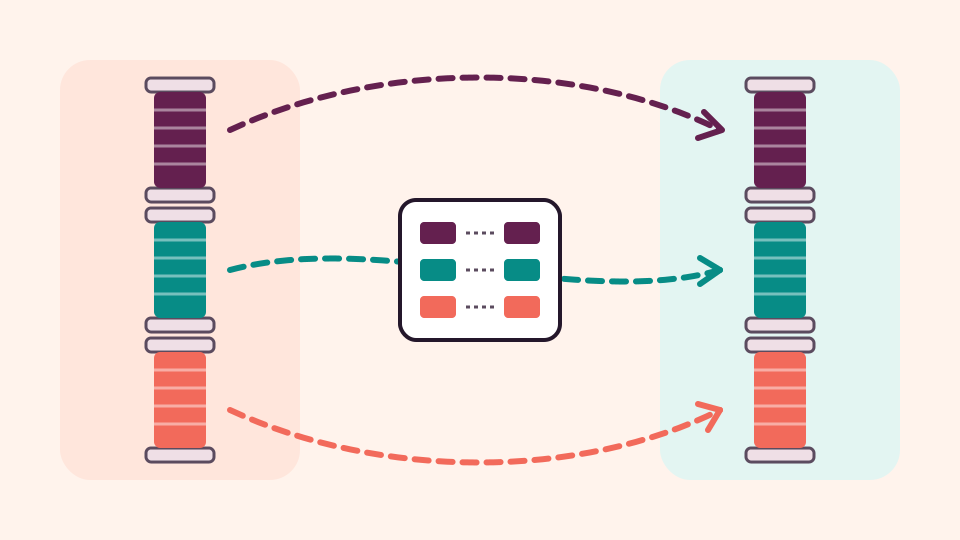
To convert embroidery thread colors between brands, look up each thread number in a conversion chart that pairs the brand your design names with the brand you own. A free embroidery thread color converter does the lookup for you: pick both thread lines, type the number, and it shows the matching thread with a swatch and how close the match is. For a whole design, CraftKeep can match every color at once.
It happens all the time. A design's color sheet says Madeira, your thread stand is all Isacord, and the shop is closed. You don't need to buy a new set of spools. You need the right numbers.
Why converting embroidery thread colors between brands needs a chart
Every thread maker numbers its colors its own way. A number on one brand's card tells you nothing about the same number on another brand's card. The makers also dye differently. Sulky's own color conversion page says that because makers use different dye methods, exact color matches may not exist in all cases.
So converting is a lookup, not a sum. Someone has compared the two color cards and written down which thread on one card matches which on the other. That written list is an embroidery thread conversion chart. If you have never read one, How to read a thread conversion chart explains every column.
Convert one thread with the free converter


For a handful of colors, the free thread color converter is the quickest way. It needs no account, and what you type stays in your browser.
- Open the thread conversion page.
- Under From thread, choose the brand and line your design names, such as Madeira Classic Rayon 40.
- Under To thread, choose the brand and line you own, such as Isacord Polyester 40wt.
- Type the thread number, such as 1064, or part of a color name, such as navy.
The match appears as you type, with both swatches side by side. Madeira Rayon 1064 comes back as Isacord 0600, marked Exact, because the published Madeira to Isacord chart lists that pair as an exact match. Do the same for each color on the sheet and write the new numbers next to the old ones.
Leading zeros don't matter. Typing 600 finds Isacord 0600.
Use a full conversion chart
When a design has many colors, or you'd like a printed copy by your machine, open a whole chart. Each chart has its own page with every row:
- Isacord to Madeira conversion: Isacord to Madeira Rayon, and the reverse, Madeira Rayon to Isacord.
- Madeira thread color conversion for polyester: Madeira Polyneon to Isacord.
- Floriani thread conversion chart: Floriani to Robison-Anton Polyester, and the Floriani color card with every Floriani color and number.
On a chart page you can type a number or color name to find a row, read the chart backwards with the button that names the other brand, and choose Print for a clean paper copy. Each chart names who published it, so you know where the matches come from.
Pick the right line, not just the brand
The most common mistake is choosing the right brand but the wrong line. One maker often sells several thread lines with their own numbers. Madeira's Classic thread, for example, is a rayon viscose thread, and Madeira Polyneon is a separate polyester line. Their numbers don't line up with each other.
Before you convert, check the exact line on the design's color sheet: the brand, the fiber and often the weight, such as 40. Then pick that same line under From thread. If the results look odd, check you haven't swapped the two boxes. From thread is what the design asks for, and To thread is what you own.
Thread weight matters too. When you can, swap a 40 weight thread for another 40 weight, so the stitches cover the way the designer planned. A heavier or finer thread can look thinner or more crowded.
What if no chart covers your two brands?
Not every pair of brands has a chart. The converter still tries to help, and it tells you how each answer was found:
- Exact: a published chart lists the two threads as the same color.
- Close: a chart lists them as a near match.
- Closest color: no chart pairs them, so it shows the nearest swatch on the other brand's color card.
- No match: nothing suitable was found. Pick a thread by eye.
A match that says via another brand links your two lines through a third brand that both charts share. A via or Closest color match is worth a closer look at the swatches before you commit.
Convert a whole design in CraftKeep

Looking up colors one at a time works, but a design with fifteen color stops takes a while. In a CraftKeep library, Convert thread colors does the whole design at once. It works as embroidery thread color matching software for the designs you already keep there.
- Open a project with embroidery designs, choose More, then Convert thread colors. To convert one design, choose More on that design instead.
- Under Convert to, pick the thread brand and line you want.
- Read down the table. Each color stop, in stitch order, sits beside the matching thread number and the match word.
Choose Save as PDF to keep the chart in the project's Thread charts folder, so it is there next time you stitch the design. You can also Print it or Download it.
Some designers give the thread list only as a PDF. Convert thread chart reads the chart from the PDF using AI credits. It shows you every row to check before anything is converted.
Thread conversion comes with paid plans, and you can try it during the 14-day Maker trial. The pricing page compares the plans. CraftKeep matches colors on paper; it doesn't change the design file or the colors stored in it.
Match embroidery thread colors to the thread you own


CraftKeep can go one step further and match embroidery thread colors to your own shelf. On Your account, choose Open my thread and check the thread makers you keep at home.
- With one maker checked, Convert thread colors opens on it.
- With two or more, Best match from my thread picks the closest thread for each color across all the makers you own.
- If you also choose the exact colors you have, every match says On hand or Not on hand, and Threads to get lists what to buy.
Tell CraftKeep which thread you own walks through it step by step, and Converting thread colors explains every part of the table.
Test before the final piece
Any chart matches thread to thread on paper. It doesn't know your fabric, your lighting or how a rayon sheen sits next to polyester. Swatches on a screen are approximate, too. Stitch a small test on scrap fabric, look at it in daylight, and swap any color that doesn't sit right.
Ready to try? Look up a thread in the free converter, see how a whole collection stays in order in the embroidery file organizer, or start with How to organize embroidery files.
Isacord, Madeira, Floriani, Sulky and Robison-Anton are trademarks of their respective owners, as are all thread brand names and numbers. CraftKeep is not affiliated with any thread maker or chart publisher.
Sources
Try it with your own files
Make a free CraftKeep library and see your machine embroidery files as pictures you can search.
No credit card needed
Topics:Thread colors