

How to read a thread conversion chart
What each column on a thread conversion chart means, and how exact and close matches differ. Plus a simple routine for swapping thread brands without surprises.
By Traci Bass · Reviewed by Patrick Bass · · 5 min read
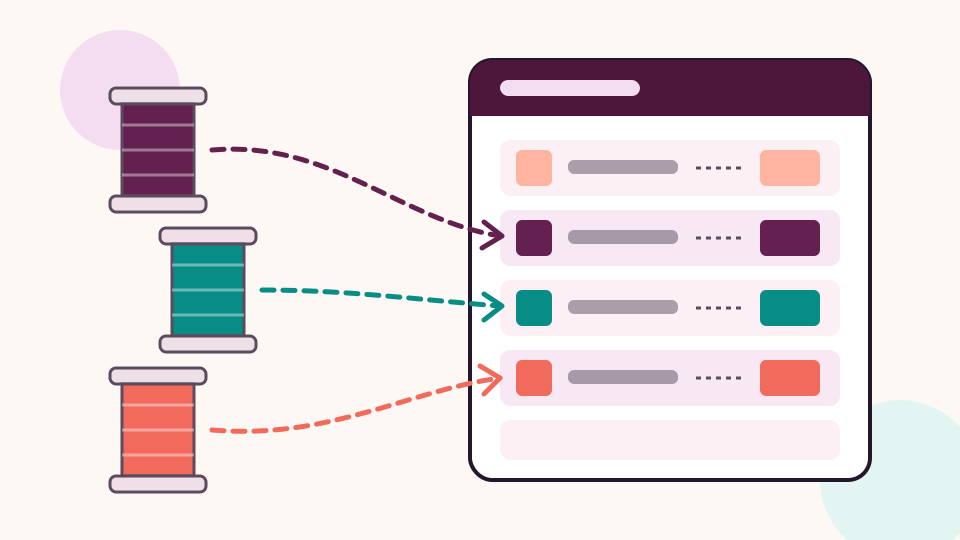
A thread conversion chart lists each thread color in one brand beside the nearest color in another. If a design asks for Madeira 1147 and your box is full of Isacord, the chart gives you the Isacord number to sew instead. Read its match column as closely as the number. CraftKeep's free charts show that match for every row.
Charts look simple, but a few details on them decide whether your stitch-out matches the designer's photo. This guide walks through reading one, row by row.
What is a thread conversion chart?
A thread conversion chart is a lookup table between two thread brands. Thread makers number their colors independently, so the same shade of red has a different number in every brand. The chart lists colors in one brand and line, such as Madeira Rayon 40, beside the nearest color in another, such as Isacord Polyester 40wt.
Most charts are published by the thread makers themselves, comparing their own line with competitors' lines. Gunold, for example, publishes charts from Madeira, Robison-Anton and Isacord to Gunold Poly. Hemingworth lists its own charts from Isacord, Robison-Anton, Madeira and Sulky.
Who published the chart matters. Each publisher matched colors with their own method, so two charts covering the same pair of brands can disagree on a few rows. Sulky's color conversion page warns that different dye methods mean exact matches may not exist in all cases.
The columns, one by one


A typical chart row has four or five parts:
- The original thread: the brand, line and number the design asks for, often with a color name such as "Evergreen".
- The converted thread: the number to use in the brand you own, with its color name.
- A swatch or two, so you can compare by eye. Treat swatches as a guide only; screens and printers shift colors.
- The match quality: how close the publisher considers the two threads.
- Alternatives: other numbers that are also close, when the publisher lists more than one.
What do exact, close and no match mean?
The match column says how closely the publisher thinks the two threads agree. It is the most useful part of the chart, and the part most people skip.
- Exact means the publisher lists the two threads as the same color. Swap with confidence.
- Close means a near match. Fine for most designs, but look twice when that color fills a large area or sits next to a very similar shade.
- No match (or a blank) means the publisher found nothing suitable. Choose by eye, from a physical color card if you have one.
Some charts also show a match via a third brand. The publisher matched Brand A to Brand B, and Brand B to Brand C, so the chart links A to C through B. Each step can add a little drift, so treat these as close rather than exact.
Reading the chart for a whole design
A design's color list is a sequence of color stops: the order in which the machine asks for each thread. The same thread can appear at several stops, for example a dark outline sewn at the start and again at the end.
To convert a design:
- Write down every stop in order, with the original brand and number.
- Look up each one in the chart for your brand.
- Note the match quality beside each stop.
- Check whether two different originals converted to the same thread. If they did, the design will lose a contrast the designer intended, and you may want an alternative for one of them.
Checking for two colors turned into one catches most disappointing stitch-outs.
Does thread weight matter as much as color?
Yes. A chart converts color, not thread type, so a perfect color match in the wrong weight still sews differently. Before you swap, compare:
- Weight: most machine embroidery designs are digitized for 40 weight thread, which Madeira calls the global standard. Swapping to a heavier or lighter thread changes coverage, even with a perfect color match.
- Fiber and sheen: rayon and polyester in the same color can look different under light, because of sheen. Converting a rayon design to polyester is common and usually fine; just expect a slightly different shine.
- Line: brands make several lines. Make sure the chart covers the exact line you own, not just the brand.
What if a design names no thread brand at all?
Then there is nothing to convert from, so you choose colors by eye. Some embroidery formats, such as DST and EXP, store no thread colors, and many designs don't name a brand anywhere. Use the designer's PDF color chart or photo, and pick the closest colors in your brand by eye or with a color card. Our guide to embroidery file formats explains which formats store colors.
Test before the final piece
Colors on charts are approximate. Before stitching on a garment or a gift:
- Sew the design, or the part with the trickiest colors, on scrap fabric with the same stabilizer.
- Compare it with the designer's photo in daylight.
- Swap any stop that looks wrong, and note the change.
- Keep that note with the design, so next time you don't test again.
Converting your thread type quickly and easily


The free thread conversion charts look up a thread number in another brand wherever a published chart or color card links the two. Each chart shows exact and close matches from the publisher's own data, with swatches, and you can turn it around or print it.
Inside a CraftKeep library, Convert thread colors does the whole design at once. Open a project with embroidery designs and pick the brand and line in your thread box. Every color stop is matched in order and marked Exact, Close or Closest color. A "via" note shows where the charts link through a third brand.
Save the result as a PDF in the project's Thread charts folder, print it, or download it. Some designers give the thread list only as a PDF. Convert thread chart reads it with AI credits and lets you check every row before converting. Thread conversion comes with every paid plan; see how it works and the embroidery file organizer.
A quick checklist
- Confirm the chart covers your exact thread line
- Read the match column, not just the number
- Watch for two colors converting to one
- Compare weight and fiber, not only color
- Sew a test piece and keep a note of any swaps
Next: how to organize embroidery files so the converted chart stays with its design, or how to get designs onto a USB stick.
Isacord, Madeira are trademarks of their respective owners. CraftKeep is not affiliated with these companies.
Try it with your own files
Make a free CraftKeep library and see your machine embroidery files as pictures you can search.
No credit card needed
Topics:Thread colors