

How to find embroidery designs that fit your hoop
A design that looks perfect can still be too big for your hoop. Here is how to check the size first and then find only the designs you can stitch.
By CraftKeep Team · · 6 min read
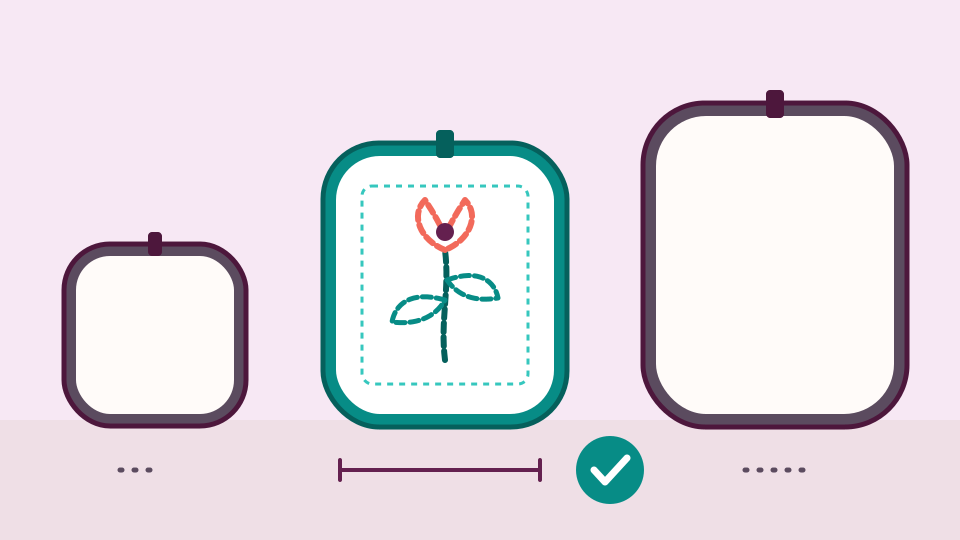
To find embroidery designs that fit your hoop, compare each design's real stitched size with your hoop's sewing field, leaving a little room on every side. A free hoop fit checker does the sums for you. In a CraftKeep library, you can filter by hoop size, or add your machine and choose Fits my hoop to see only the designs your largest hoop takes.
Many of us have learned this the hard way. The design looked lovely in the shop, the fabric was hooped and stabilized, and then the machine said the design was too big. A minute of checking first saves the fabric and the frustration.
Why is finding embroidery designs that fit your hoop tricky?
Three things make it harder than it sounds.
First, a hoop's name is a rounded size. A hoop called 5 × 7 in has a sewing field that often isn't exactly 5 by 7 inches (many measure 5.12 × 7.09 in), and your machine needs the design to sit inside that field with some room to spare.
Second, a design's name is a rounded size too. A design sold as "4x4" can measure a full 4 inches on a side, which is a little too big for some hoops called 4×4.
Third, one download often holds several sizes. Designers put the same design in folders such as 4x4, 5x7 and 6x10. Pick the wrong folder and you load the wrong size.
The answer is always the same: check the measured size of the design, not the name.
Find the design's real size
You need the width and height of the stitches themselves. There are three easy places to find them:
- The designer's listing or PDF. Most designers print the stitched size next to each hoop size, often in both inches and millimeters.
- The free embroidery preview. Drop the file on the embroidery file preview. It measures the stitches and shows the size in inches. It also lists which common hoops (4 × 4, 5 × 7, 6 × 10, 8 × 8 and 8 × 12 in) the design fits.
- Your CraftKeep library. Each design's preview shows its size when CraftKeep can read the stitches.
Write down the width and height before you go on. Millimeters are the most exact.
Check it with the free hoop fit checker


The free hoop fit checker works as an embroidery hoop size checker for your own machine, not just common sizes. It runs in your browser and needs no account.
- Open Hoop fit and choose Does my design fit?
- Under Machines, choose your brand and tick your model. You can tick several machines to compare them.
- Enter the design's Width and Height in inches, such as 4.5 or 4 1/2.
For each machine, the checker names the smallest hoop that takes the design, then every other hoop that fits. If the design is too big, it shows the largest design your biggest hoop takes.
Don't know the size? Choose Measure it from a file. That opens the embroidery preview. Drop the design in, then choose Check hoop fit for your machine to come back with the size filled in.
You can also work the other way round. Choose What fits this hoop? and pick a hoop, and the checker shows the largest design it takes. That is handy before you shop: you know the biggest size to look for.
Turning a design on its side
Sometimes the checker says Rotate it next to a hoop. That means the design fits, but only when turned a quarter turn. A design laid out wide can fit a tall hoop this way.
If your machine can turn a design on its screen, use that. Otherwise, hoop the fabric the other way round. So don't rule out a design just because its width is larger than your hoop's width.
How does CraftKeep decide a design fits?
The checker and the CraftKeep library use one simple rule. A design fits a hoop when each side is about 0.2 in or more smaller than the hoop's sewing field, either as drawn or turned on its side.
Because both use the same rule, a design the checker says fits will also show up when you filter your library for that hoop.
Search embroidery designs by hoop size in your library

Once your designs are in CraftKeep, you can find the ones for a hoop without opening a single file.
- Type a word in the search box at the top, such as "snowflake", and press Enter.
- Choose Filter beside the search box.
- Under Hoop size, choose the hoop you want, such as 5 × 7 in.
CraftKeep knows a design's hoop in one of two ways. When it can read the stitches, it measures the design and names the smallest common hoop it fits. Otherwise it reads the hoop size from the file or folder name, such as "5x7". In a design's preview, What's this? beside the hoop label tells you which way it was found.
Inside a single project, the same Hoop size choice appears in the project's own filter. That is useful when a designer packed three sizes of every design into one set.
Add your machine and use Fits my hoop

The quickest way is to tell CraftKeep which machine you sew on.
- Choose Your account, the round button at the top right, then Your account in its menu.
- Under Your machines, choose Open your machines.
- Under Add machine, choose Embroidery machines, type your brand or model in Find your machine, choose it, and choose Add machine.
After that, a Fits my hoop button appears above your search results, showing your largest hoop. Choose it to see only the designs that fit a hoop you have, on a machine that reads their format. Tick the hoops you own, extra hoops included, under Hoops you have on Your machines. Designs whose size isn't known yet are left out, so everything you see is ready to stitch.
Your machine also gives each design a badge: Works on your … when it reads the format and the design fits a hoop you have, or Needs another format, Too big for your hoops or Size not checked, with the reason, and projects open on your machine's main format first. Embroidery machines, hoops and stitch details and Show your machine's main format first explain both.
What the hoop check can't tell you
A design that fits your hoop isn't promised to stitch out well. CraftKeep doesn't check stitch density, your fabric or your stabilizer. It doesn't resize designs or change their format either. If a design is too big, look in the download for a smaller size the designer made. The hoop list in the checker comes from each machine maker's published hoops, and some of those are sold separately, so your own drawer may hold fewer. Sew a test on scrap fabric before the real project.
Next steps
- Check a design now with the free hoop fit checker.
- Measure a design file with the free embroidery file preview.
- Learn how the checker works in Hoop fit checker.
- See how a whole collection is filed and filtered in the embroidery file organizer, and read Embroidery file formats explained to pick the right file for your machine.
Try it with your own files
Make a free CraftKeep library and see your machine embroidery files as pictures you can search.
No credit card needed
Topics:Hoops and machines