

How to organize digital pantograph files
A digital pantograph arrives as a bundle of file types. Keep the bundle together, write down its size, sort by look and density, and you can pick the right panto for any quilt.
By CraftKeep Team · · 5 min read
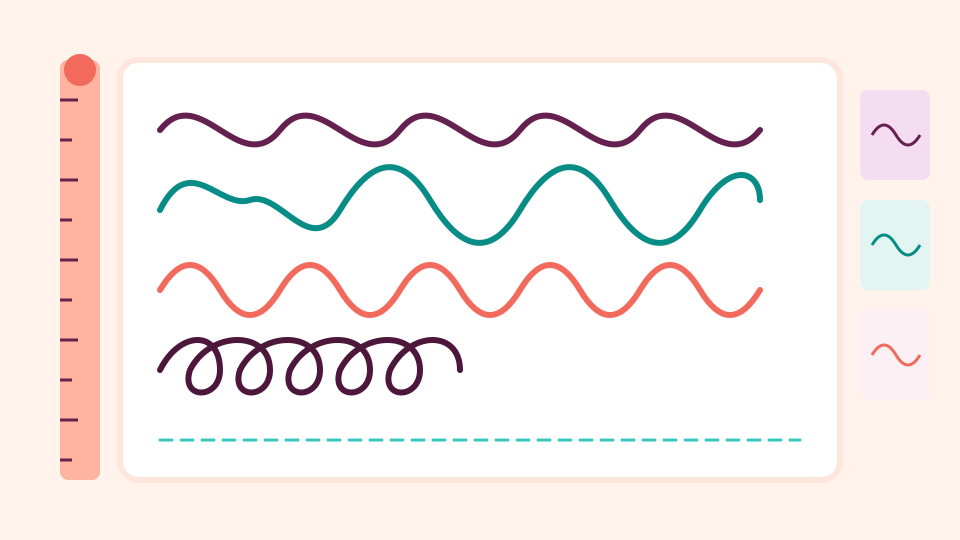
To organize digital pantograph files, keep every file type of one panto together in its own project, file it under its designer, and write its row size in the notes. Then add tags for the look and the density, such as "feathers" or "open". With that in place, a digital pantograph organizer turns a pile of codes into a catalog you can choose from at the frame.
A pantograph, or panto, is an edge-to-edge design: one row of quilting that repeats across the whole quilt. Paper pantos came on long rolls. Digital pantographs are small files your longarm's quilting computer reads and stitches row after row.
What comes in a digital pantograph download
Most designers sell one panto as a ZIP that holds the same design in many file types. A typical download might hold:
- a QLI, HQF, IQP, BQM, CQP or PAT file, one for each quilting system
- a DXF or PLT, general drawing files that many quilting programs can open
- a PDF or picture that shows the design and its size
You only stitch one file type, but keep them all. They take very little room, and if you change machines or help a friend, the right one is already there.
Which panto file does my longarm use?
Each quilting system has its own file type. This table shows the file types used by common systems. Your quilting software's manual has the final word.
| File type | Used by |
|---|---|
| QLI | Gammill Statler, and read by several other systems |
| HQF, HQV | Handi Quilter Pro-Stitcher |
| IQP | IntelliQuilter |
| BQM | BERNINA Q-matic |
| PAT | Innova AutoPilot |
| CQP | CompuQuilter and Grace |
| DXF, PLT | Many quilting programs, and cutting machines too |
APQS Quilt Path can bring in several of these file types. If you are not sure which file to use, ask the designer, who often lists them on the pattern's page.
How to organize digital pantograph files in three levels
A quilting pantograph file organizer needs only three levels:
- Designer. The person or shop that made the panto.
- Project. One panto per project, named after its look, such as "Loopy daisies".
- Files. Every file type of that panto, plus the PDF and your notes.
Keep the designer's own folders if the ZIP has them. Some designers put each file type in its own folder, which makes it easy to spot the one you need.
Write down the size and spacing
The size is the detail you need most and remember least. The picture of a panto shows its shape, not how big it stitches. Write a short note in each project:
- the row height and width the designer suggests
- how far apart you set the rows
- the thread and batting that looked good
"Row 9 inches, nest rows, cream 40 wt, wool batting" is plenty. Next time you load a quilt, you set it up in minutes. Your quilting software still decides the final size on the quilt, so check it there before you stitch.
Sort pantos by look and density
Quilters choose a panto by how it will look, so sort that way too. Tags work well here because one panto can fit several groups:
- Theme: "floral", "feathers", "geometric", "Christmas", "baby"
- Density: "open", "medium", "dense"
- Use: "customer favorite", "quick", "modern quilts"
Keep the list short and reuse the same words. A longarm quilting pantograph library with ten steady tags is easier to browse than one with a hundred.
See every panto as a picture

File names don't show you the design. A picture does. In CraftKeep, most pattern files show a picture of the quilting lines as soon as they are added. That includes QLI, HQF, HQV, IQP, BQM, PAT, CQP, SSD and PLT files.
Open any file to see a bigger picture in its preview. Choose Previous and Next to step through the other files. A project full of pantos then reads like the catalog page you bought them from. A file CraftKeep can't draw, such as a locked pattern, shows a file icon instead and can still be found by name.
Digital pantograph file storage with CraftKeep
CraftKeep is an online library, so your pantos sit in one place you can open from any computer, tablet or phone with a web browser. It is digital pantograph file storage that keeps each file exactly as you added it.
- Add files unpacks each ZIP and keeps the designer's folders.
- Add tags is in a project's More menu. A project can have up to 5 tags.
- Each project has notes for row size and spacing, and search reads them.
- Add your longarm under Your machines on your account page. The panto files your quilting system reads then say Works on your … with your machine's brand.
- The Quilting filter, under Type in Filter, shows only quilting patterns.
CraftKeep doesn't convert one panto file type into another, and it doesn't connect to your longarm. When you are ready to quilt, choose Download, or Send to USB to copy the file onto the USB stick you take to your machine. Then open it in your quilting software as you always do. Step-by-step help is in Longarm quilting patterns in CraftKeep and Downloading and sending to USB.
Panto mistakes to avoid
- Keeping only the file your machine reads. The other file types weigh almost nothing. Keep them for a future machine, a friend or a quilting service.
- Losing the size. A panto without its row height is a guessing game at the frame. Write it in the notes the day you buy it.
- Naming by code alone. "kd004" means nothing next year. Put the look in the project name, such as "Loopy daisies".
- Too many tags. Twenty tags on one panto make it turn up everywhere. Pick the few words you would really search for.
- Leaving pantos in email. Download links can stop working. Save the ZIP into your library as soon as it arrives.
Next steps
For the bigger picture, read how to organize longarm quilting files, which covers blocks and borders as well. Then keep your pantos safe with how to back up longarm quilting files. See the longarm quilting file organizer, the QLI format page or every format CraftKeep shows.
Gammill and Statler, Handi Quilter and Pro-Stitcher, IntelliQuilter, BERNINA and Q-matic, Innova and AutoPilot, APQS and Quilt Path, Grace and CompuQuilter are trademarks of their respective owners. CraftKeep is not affiliated with these companies.
Try it with your own files
Make a free CraftKeep library and see your longarm quilting files as pictures you can search.
No credit card needed
Topics:PantographsOrganizing